

Blog
See our posts on the most important topics in and around website design - from commissioning your own website to sustainability and accessibility, we cover the things that are important to you and to us.

Dark side, I search for your dark side
“You don’t know the power of the dark side.”
Darth Vader
Have you heard of dark mode? It’s a design style that’s recently been gaining popularity and now comes pre-installed on most desktop and mobile operating systems.
In short, it tells your computer to use dark interfaces by default. Typically this means interfaces change from dark text on a light background to light text on a dark background. The beauty of it being a preference on individual devices means that users can choose themselves which they’d prefer to use.
Why dark mode?
There are a few advantages to dark mode over light mode.
- A dark interface means your screen is giving off less light, which some users find easier on their eyes, improving the accessibility of your site.
- Dark mode can help increase battery performance. On newer devices that use OLED screens rather than LCD's, dark mode can help to preserve battery as black pixels take no energy whatsoever.
- It just looks cooler. Who wants to be Luke Skywalker when you can be Darth Vader?!
How do I turn on dark mode on my device?
You can activate dark mode in the main settings for your device; it’s usually with either the display settings, or the accessibility settings. You'll notice many of your apps and frequently visited websites present you with a dark interface if they have been built to support it.
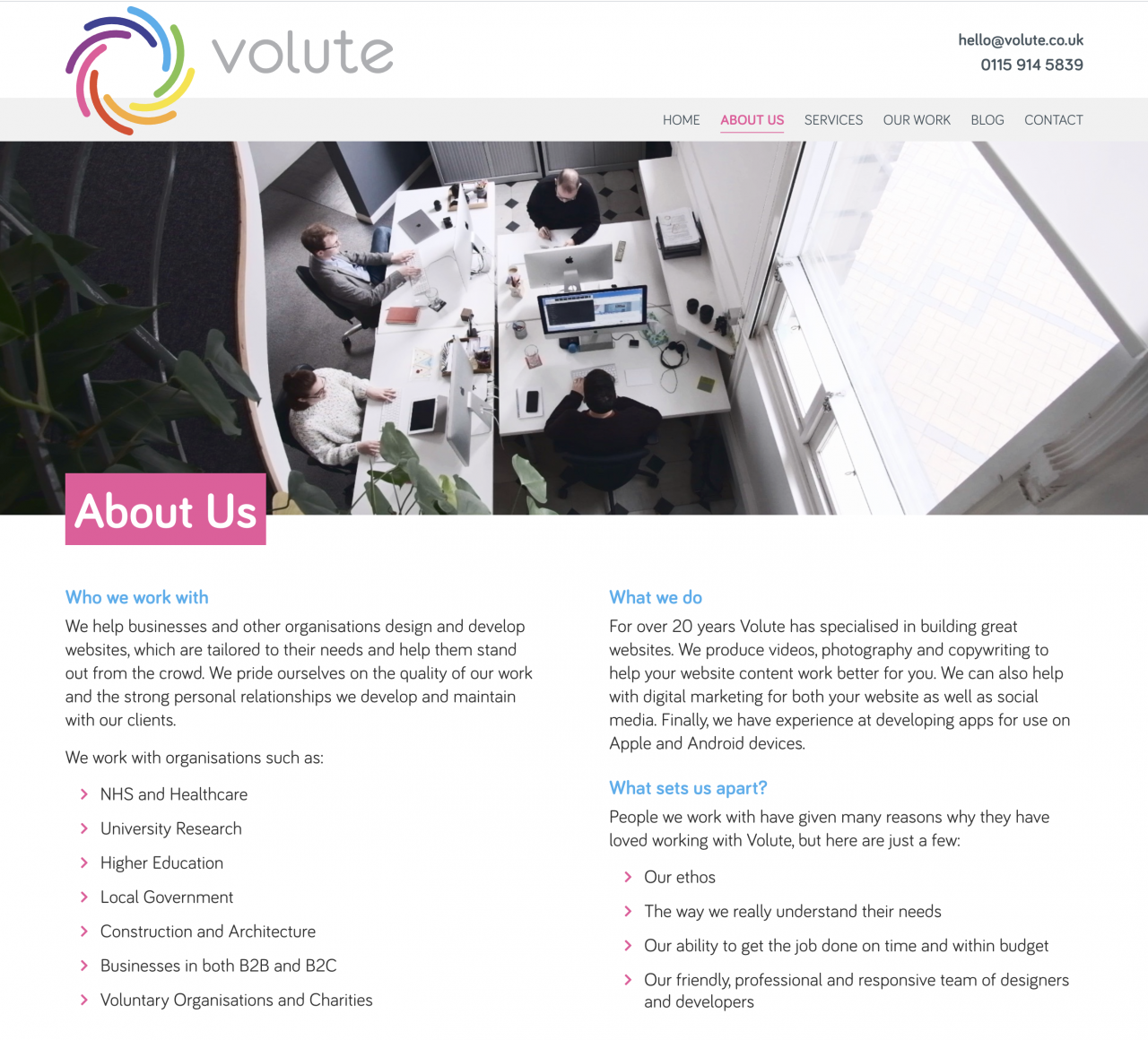
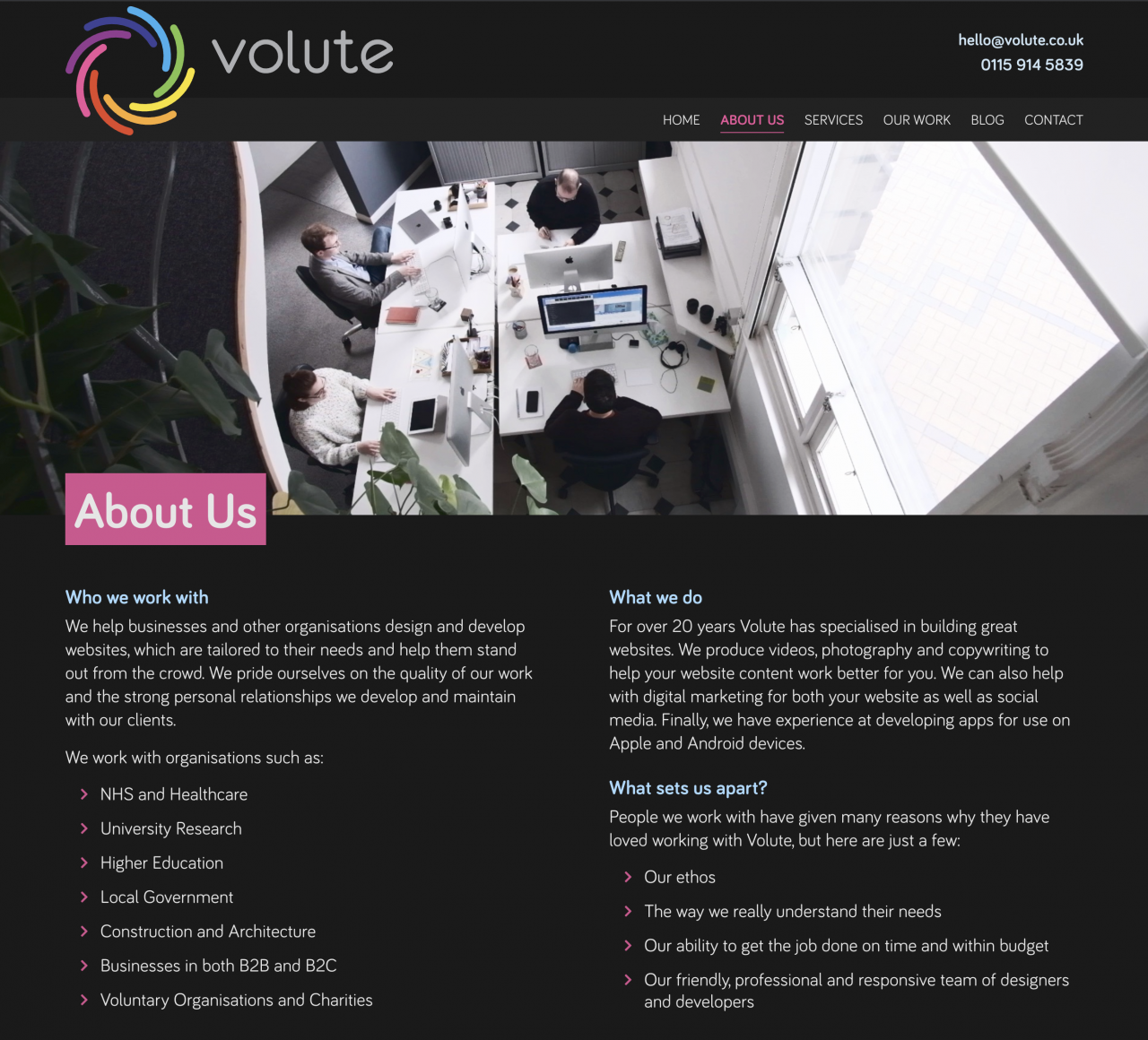
Volute About page in light and dark mode
How do I make my website work in dark mode?
Any websites which don’t have support built-in for dark mode will just show in their normal ‘light’ mode. To create a dark mode compatible version of your site some extra styling rules need to be written instructing the web browser on how to display the website for a dark mode environment.
You can see in the above screenshots how we have adapted the Volute website to work in a dark mode environment. We have changed the background to be dark and the text to be light but we’ve also muted some of the accent colours so they better suit the dark environment.
If you’re interested in making your site compatible with dark mode then get in touch and we’d be more than happy to help.


